
For retail & ecommerce worldwide
Good sales. Less work behind them.
Connect the storefront to the operation. Keep orders, stock, fulfilment and customer updates moving together.
Order to dispatch
- 01Customer orders
- 02Team packs
- 03Carrier delivers
Real software views
Connect the sale to the work behind it.
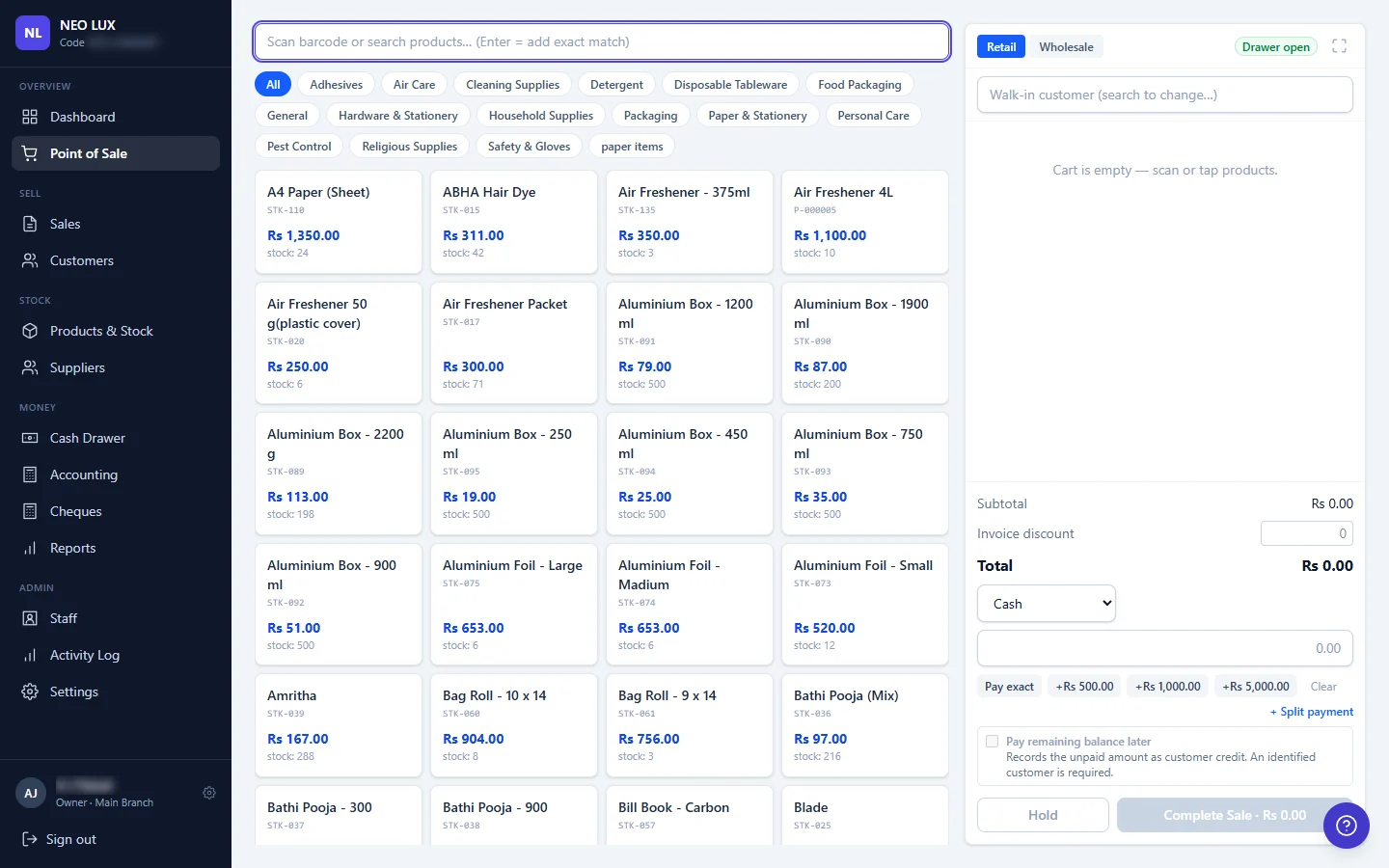
Make the sale simple at the counter.
Products, prices and customer details are ready when the order begins.
Our own drinkware brand · Built and operated by us
Built by us. Run by us.
Our drinkware brand Glacien runs on a storefront and order system we built. Checkout, invoices, updates and waitlists share the same foundation.
Visit our Glacien storefront (opens in a new tab)
Before we build
A few fair questions.
Do we need a new storefront?
Not always. We first identify where the work gets stuck. The scope may focus on the operation behind your existing store, depending on what the platform supports.
Can in-store and online orders connect?
We assess your point-of-sale system, channels and access to their information. Supported connections and shared records are agreed during scoping.
What about payments and delivery?
We review your providers and the connections they offer before including them in a build. Your existing working relationships help shape the plan.
What could this look like in your operation?
Keep the sale connected to fulfilment
Bring order details, stock and the next action into a shared flow. The person preparing an order can see the information they need without retyping it from another screen. Customer-facing steps and the work behind them are planned together.
Know which orders need attention
Make the status of each order clear, including what is waiting for payment, preparation or a customer response. Your team can handle exceptions deliberately instead of discovering them when a customer asks where an order is.
Join the records at the end of the day
Connect orders, invoices and payment information so you can follow what happened to each sale. We agree the relationship with your existing finance tools rather than leaving another manual reconciliation task for the owner.
Start where the order leaves the storefront.
We follow a recent order through payment, stock, fulfilment and customer updates. We also look at an exception, such as a return or an item that is unavailable. That establishes what a connected first version needs to do and which existing tools should stay in place.
- Where orders are copied or manually checked
- Which system holds the stock and payment records
- What the team does when an order cannot proceed normally
FREE 30-MINUTE SYSTEMS REVIEW
A free 30-minute systems review. Bring the problem. We will help you find the starting point.
Review your order-to-fulfilment flow