
Inventory & orders
Every order. Moving forward.
The sale, the stock, the invoice. Finally working together.
See it in motion
Confirm it once. Carry it through.
Follow an order through your connected operation.
Order and stock workflowReal product screens
Step 01
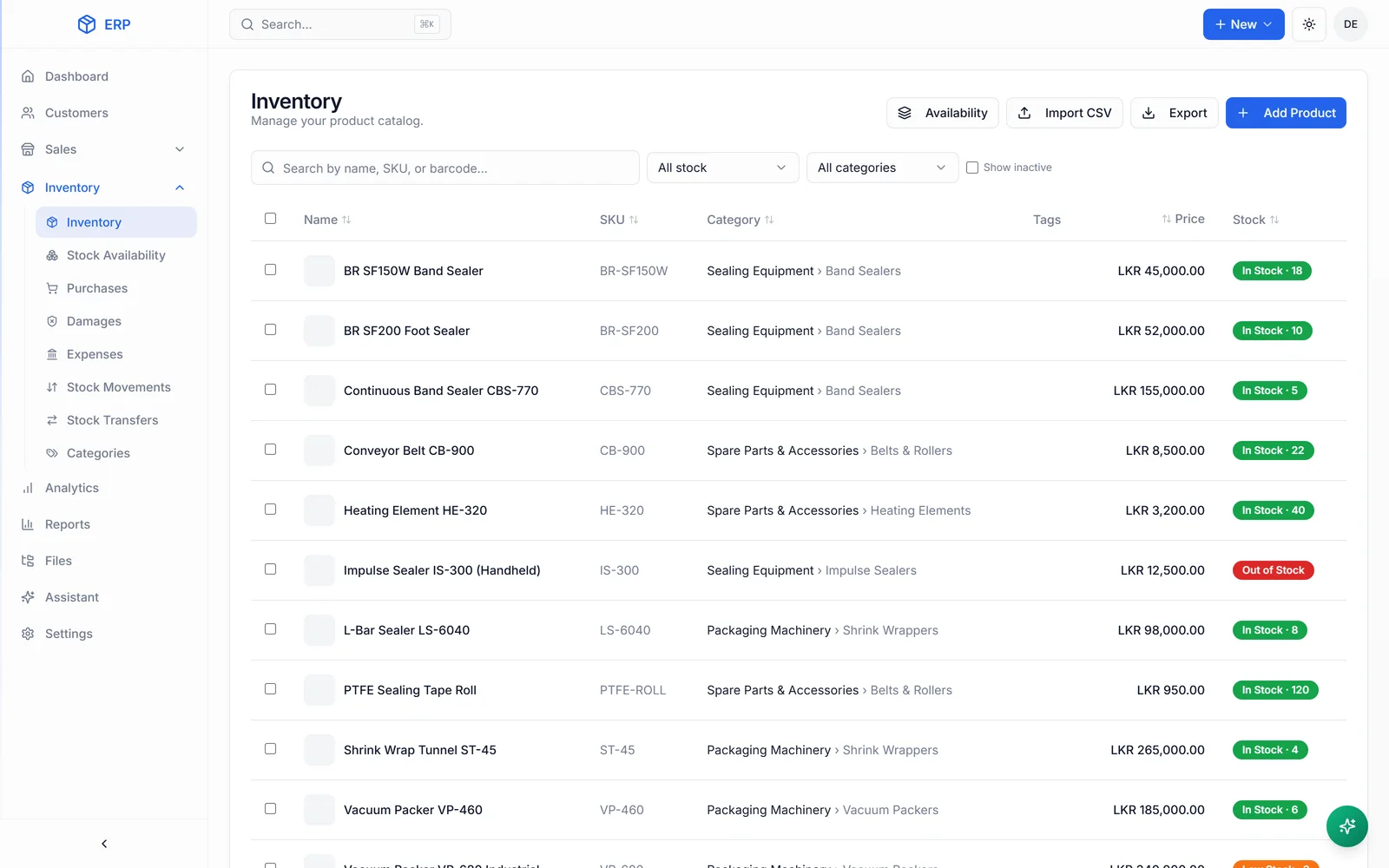
See what is available before you promise it.
Stock quantities, categories and product records stay in one register.
Actual HascoMax inventory screenInventory register
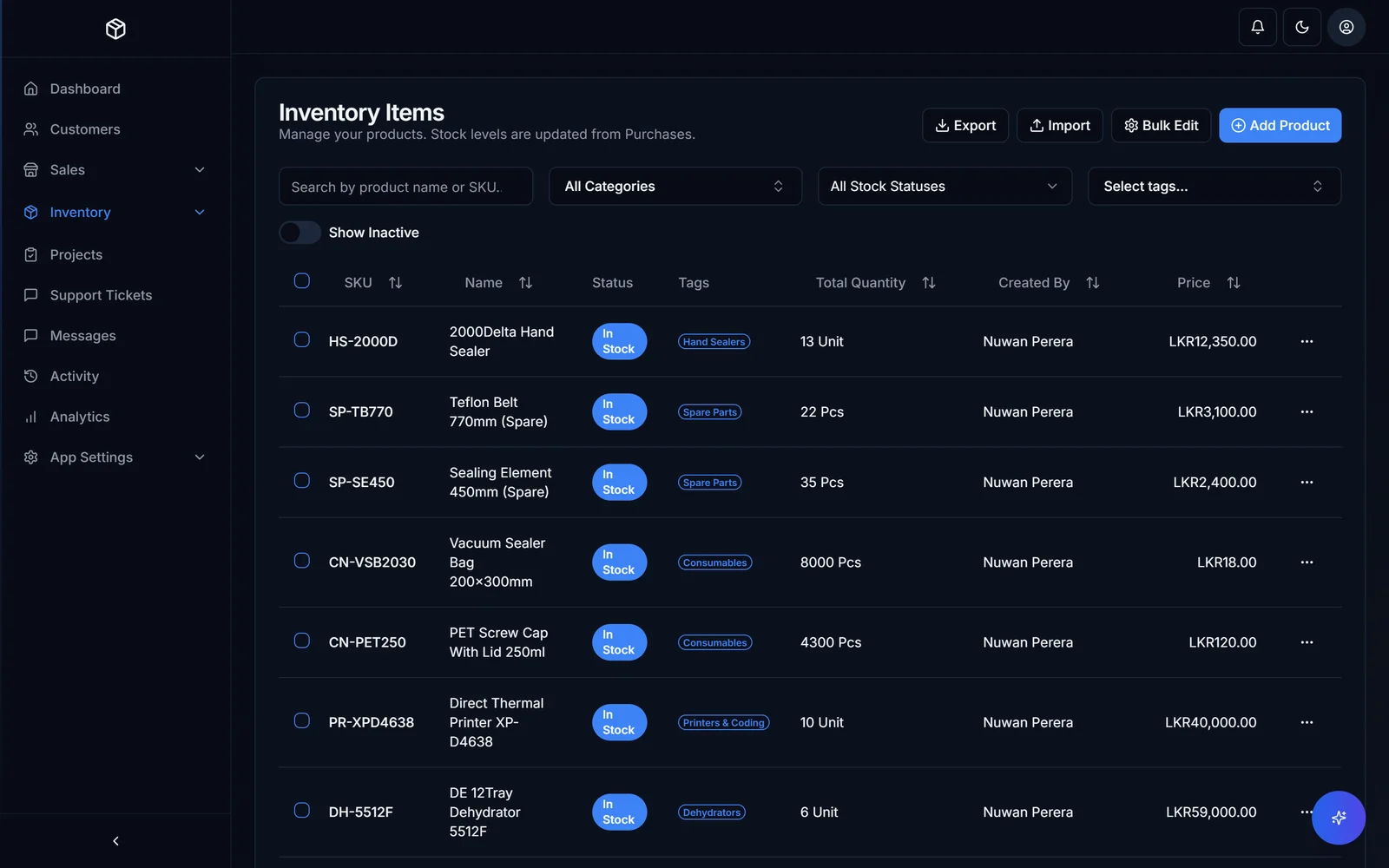
Machinery and spare parts
Actual software / HascoMax
Built for the real stockroom.
Before we start
A few things worth knowing.
Multiple locations and serial numbers?
Yes. Both are part of the system built for HascoMax. Your locations, products and checks shape your own build.
Can it connect to invoices and repairs?
Yes. Stock, sales, returns and repair history can share the same records. We agree the connections your operation needs.
Do we switch everything at once?
We start with a defined scope and a working pilot. Your team checks the flow before the wider rollout.
FREE 30-MINUTE SYSTEMS REVIEW
Bring the workflow. We’ll help map the next step.
Get a free systems review