Our work / HascoMax
A whole business.
One system.
An industrial machinery supplier. A growing operation. A custom system to keep it all moving.
Step inside the system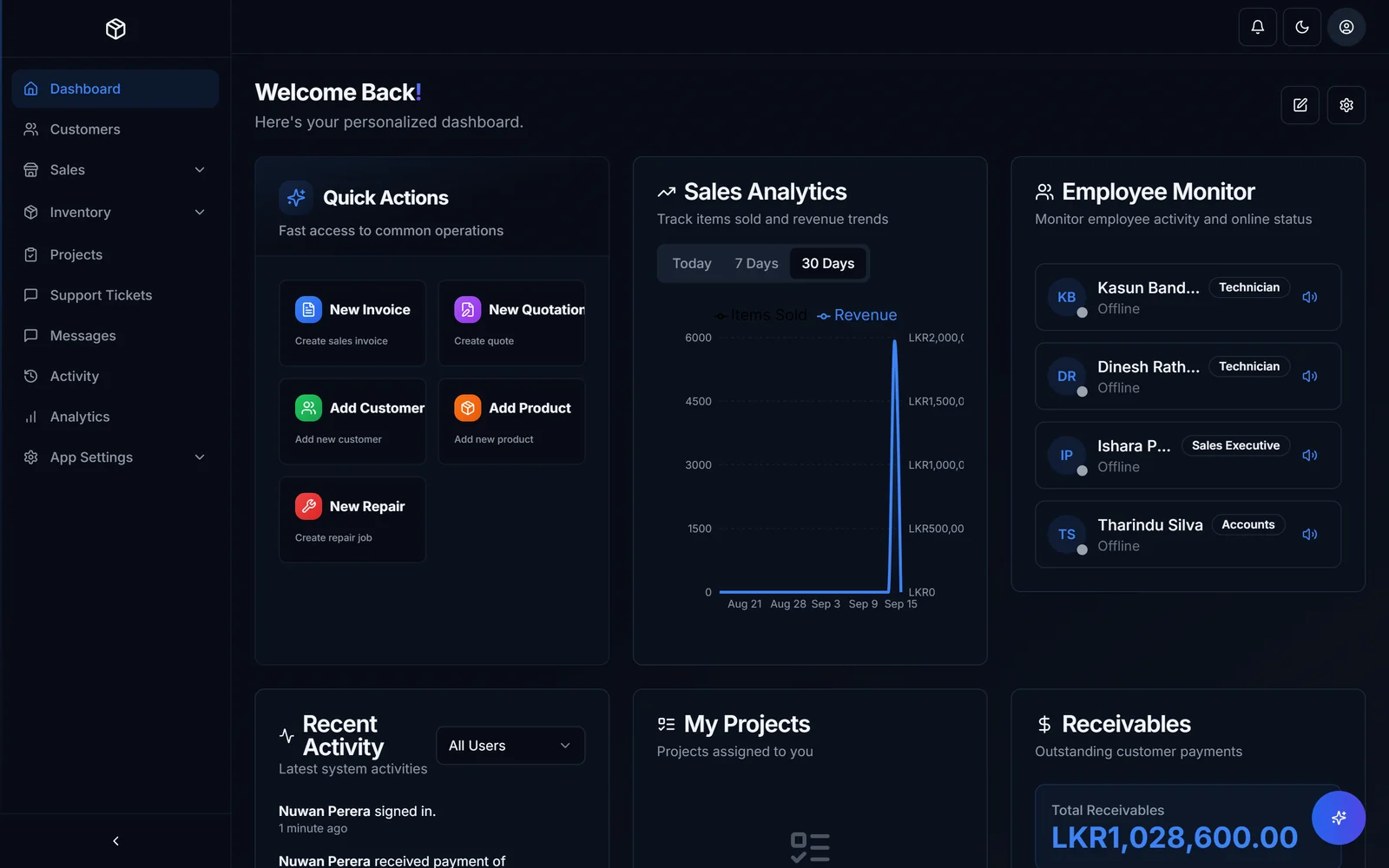
- 8
- People run the whole operation on it
- 200+
- Invoices a month, straight from the system
- 70-90
- Machines sold a month, every one tracked
Operational figures supplied for the HascoMax case study. These describe usage, not guaranteed results for another business.
The shift
Less work
between the work.
Spreadsheets, separate apps and WhatsApp kept pulling the team in different directions. We connected the operation so the information follows the work.
Inside the build
Every part.
Part of the same picture.
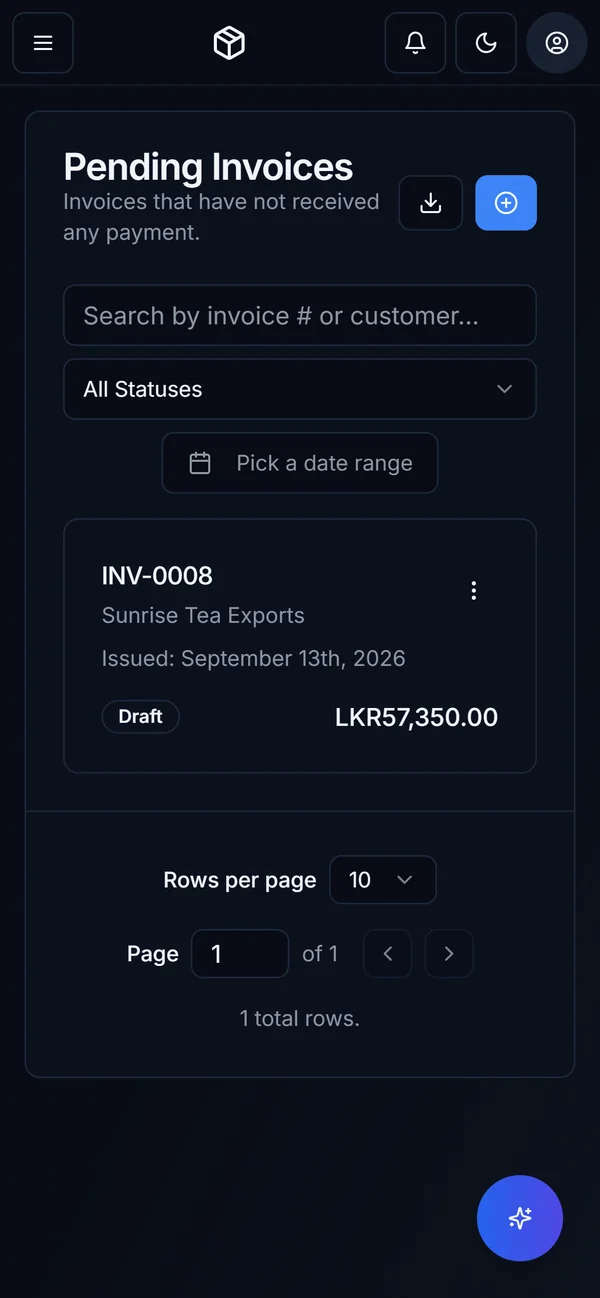
Explore the actual screens: the daily dashboard, product register, sales documents and the customer record that connects them.
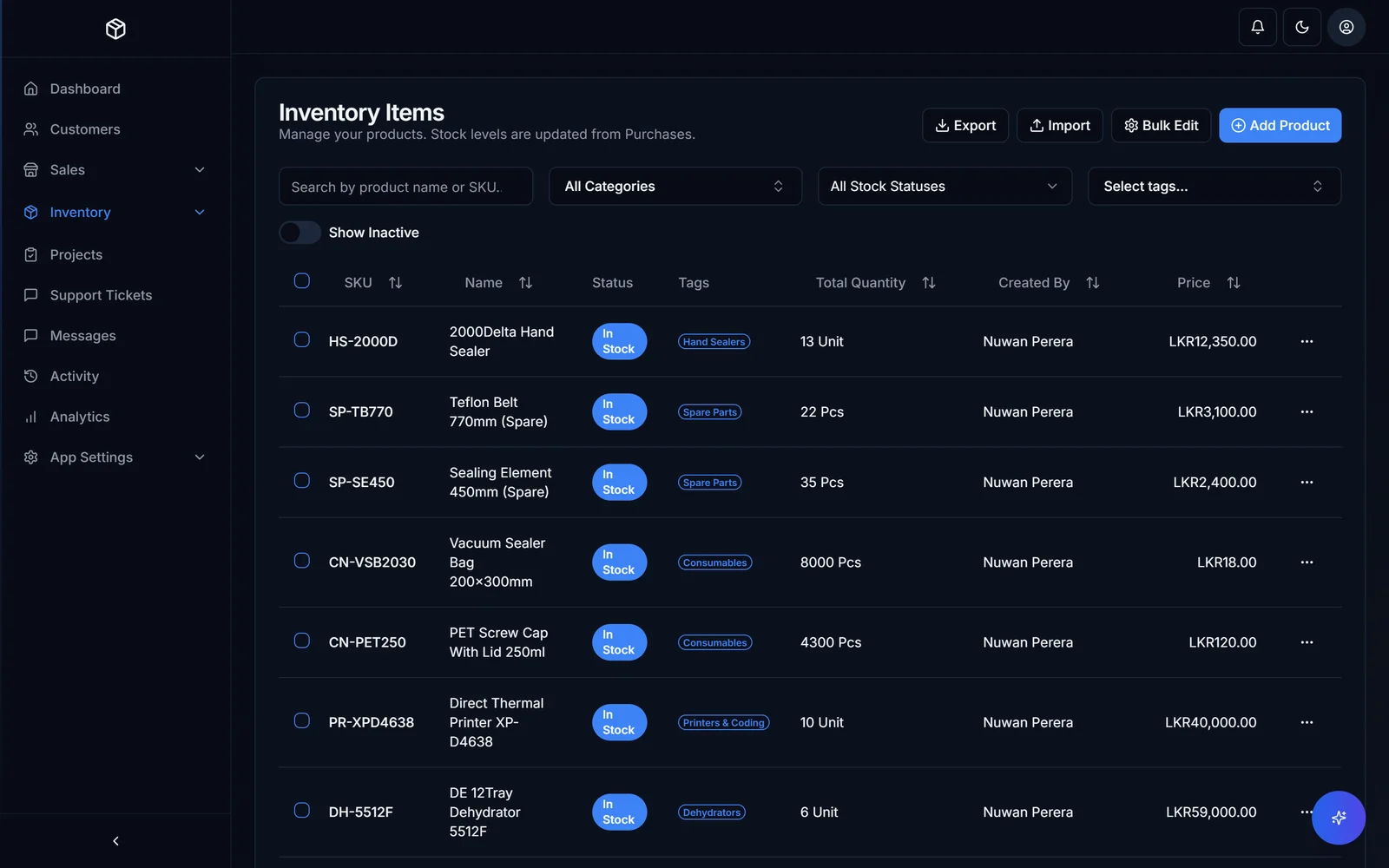
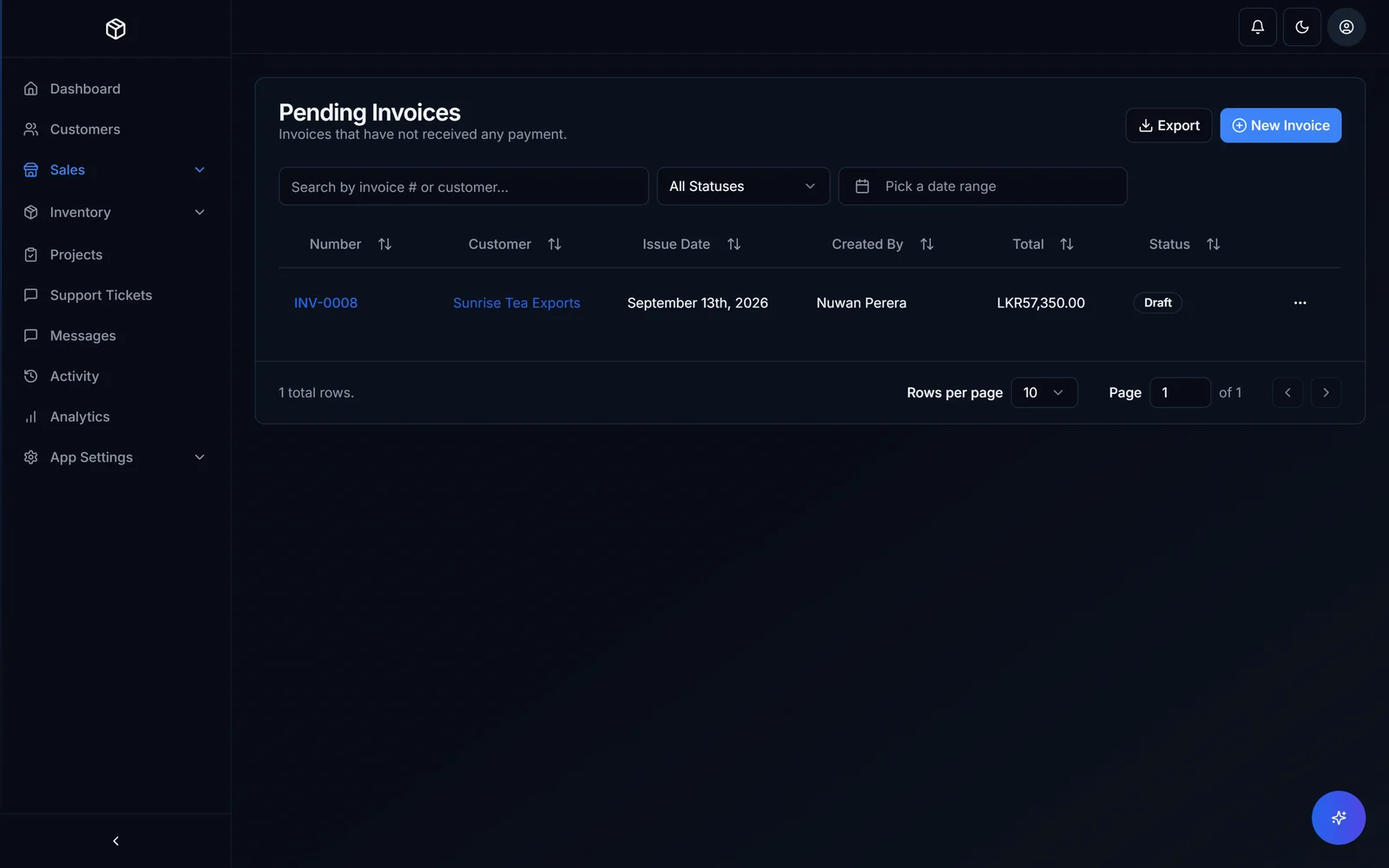
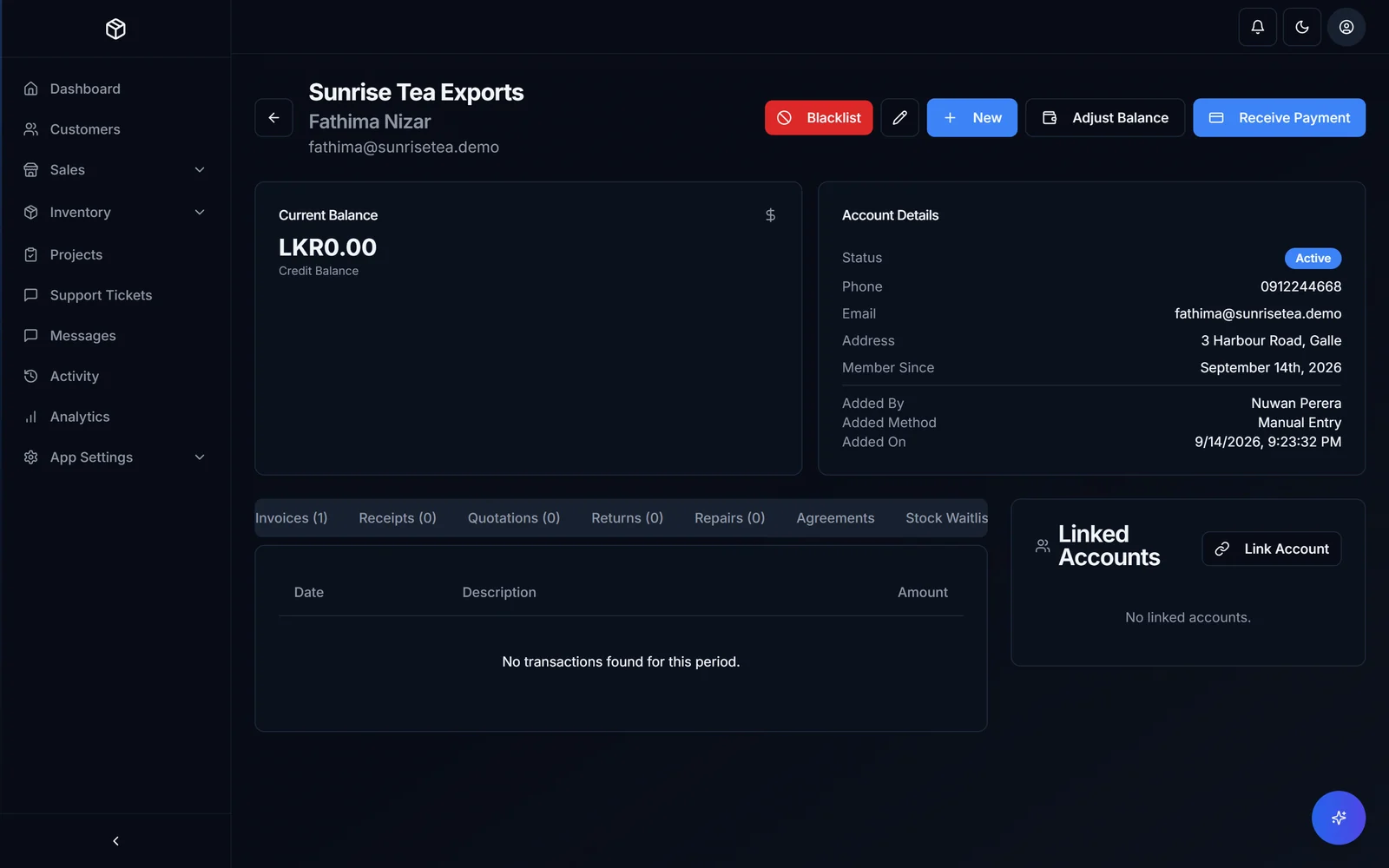
Actual software screens with demonstration records. Select a part of the operation to explore.
One operation. Different views.
Office staff work in the ERP. Customers have their own portal for invoices, quotations and repair jobs. Technicians have a field-service workspace. Modules and staff permissions shape what each person can access.
From one step to the next
The sale is
only the start.
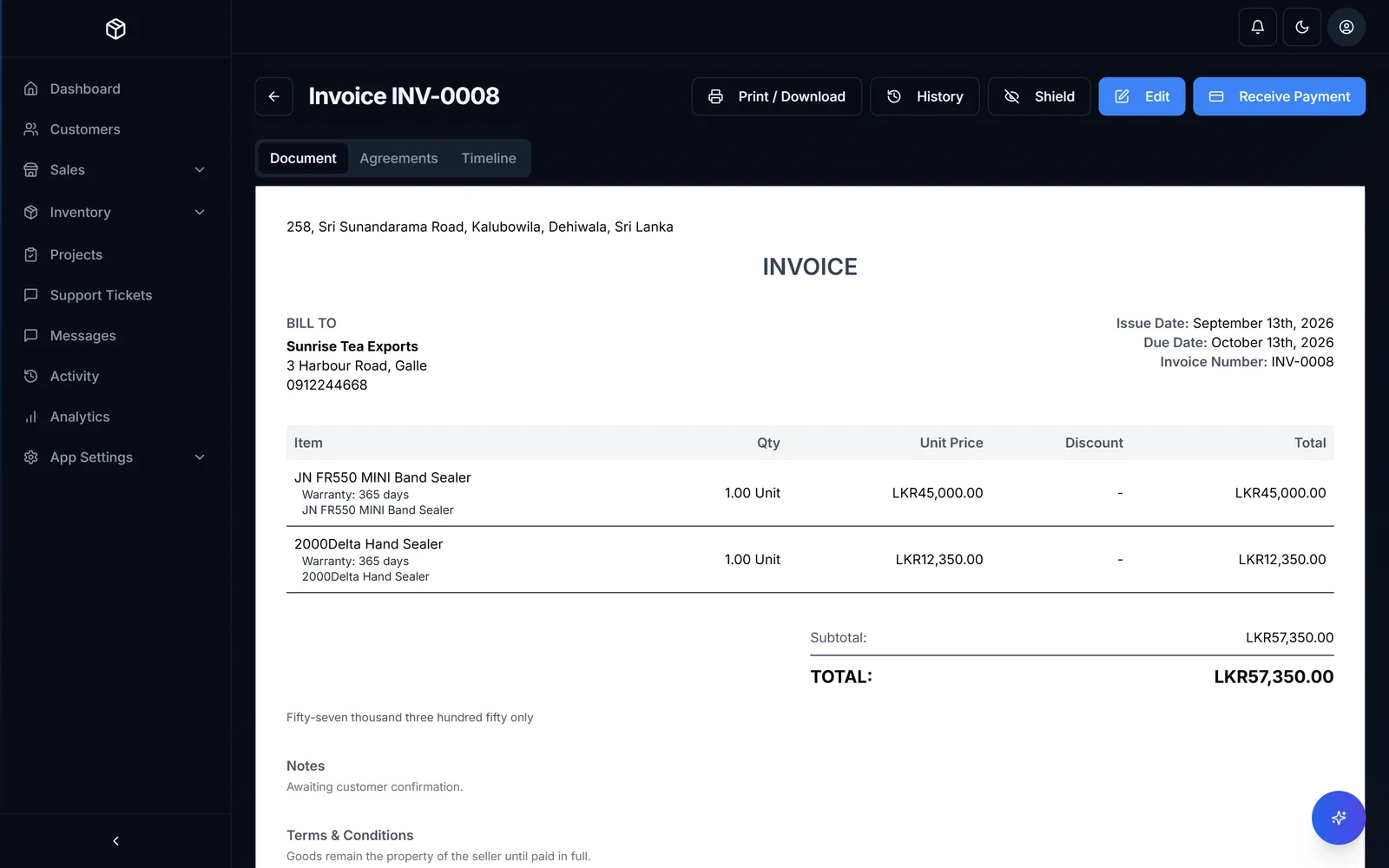
A quotation becomes an invoice. Line items, warranty details and payment history stay connected to the customer.
- 01
Sell from the same product record.
Stock, variants, purchase batches and availability sit behind the sales workflow.
- 02
Keep the exceptions connected.
A returned item has its own record. A bounced cheque makes the invoice due again and adjusts the customer’s balance.
Intelligence inside the operation
Ask the business.
Keep the decision.
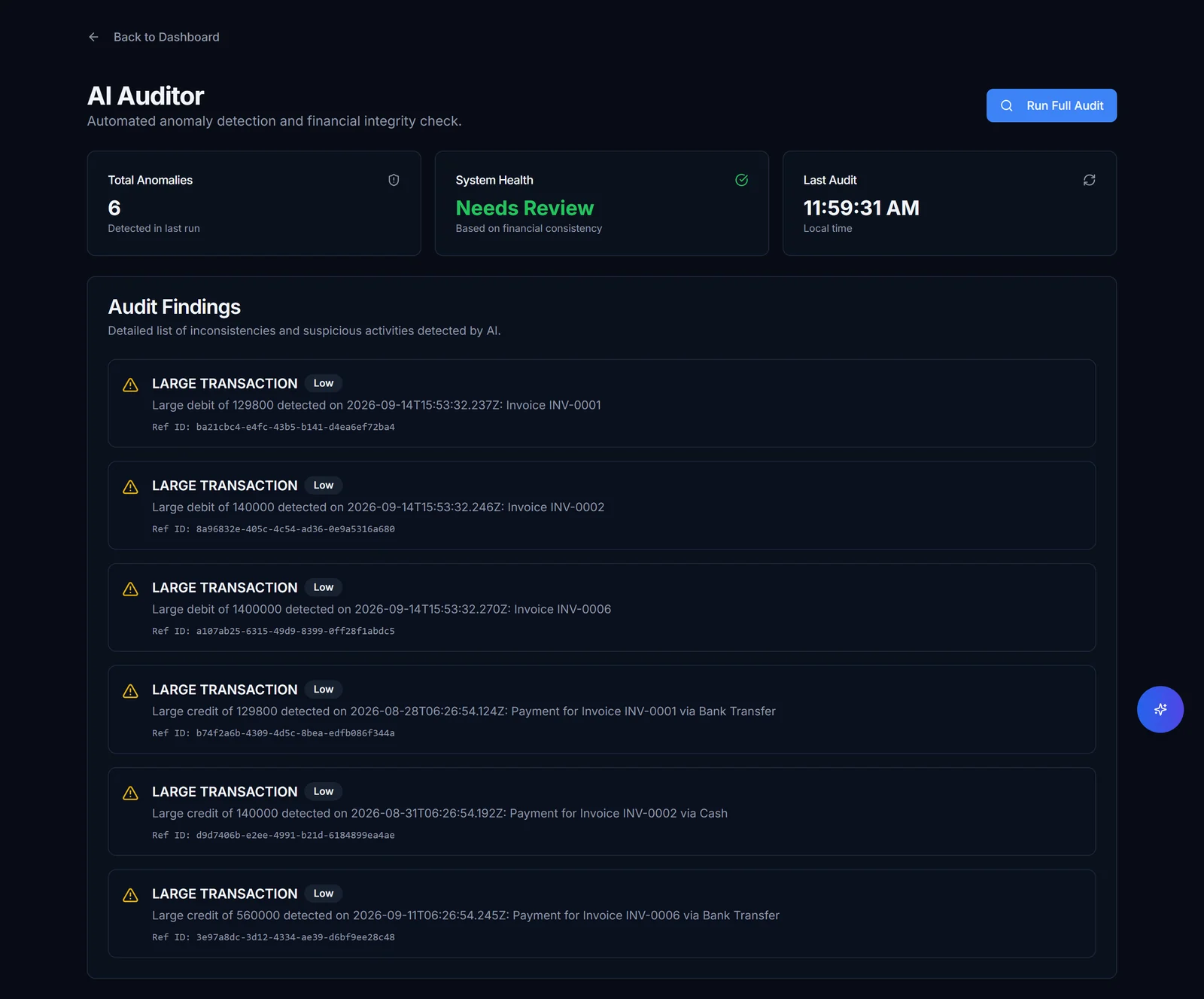
The assistant can query business records, prepare a CSV report and explain how a workflow works. Proposed data changes follow a preview-and-confirm step.
- 01
Preview the change.
The assistant describes the proposed update before applying it.
- 02
Confirm, then record.
A person confirms the change. An action log keeps a record of what the assistant did.
How it became the everyday
Built with the business.
Refined in the real world.
First working system
The core operation became a usable first build.
Pilot beside real work
Real orders, records and team feedback shaped the details.
Relied on every day
Ongoing fixes and additions as the operation develops.
The HascoMax project timeline. Scope and rollout are agreed separately for each business.
FREE 30-MINUTE SYSTEMS REVIEW
Let’s look at the work your team repeats, and what a system built around you could change.
Get a free systems review